
Know the last change
Keep the completion date and history in one place instead of writing a date on the filter and hoping you remember to check it.
HVAC & furnace filter reminder for Android
Record the day you replace an HVAC, furnace, or AC filter, see when it is due again, and keep overdue filters visible until the work is actually done.
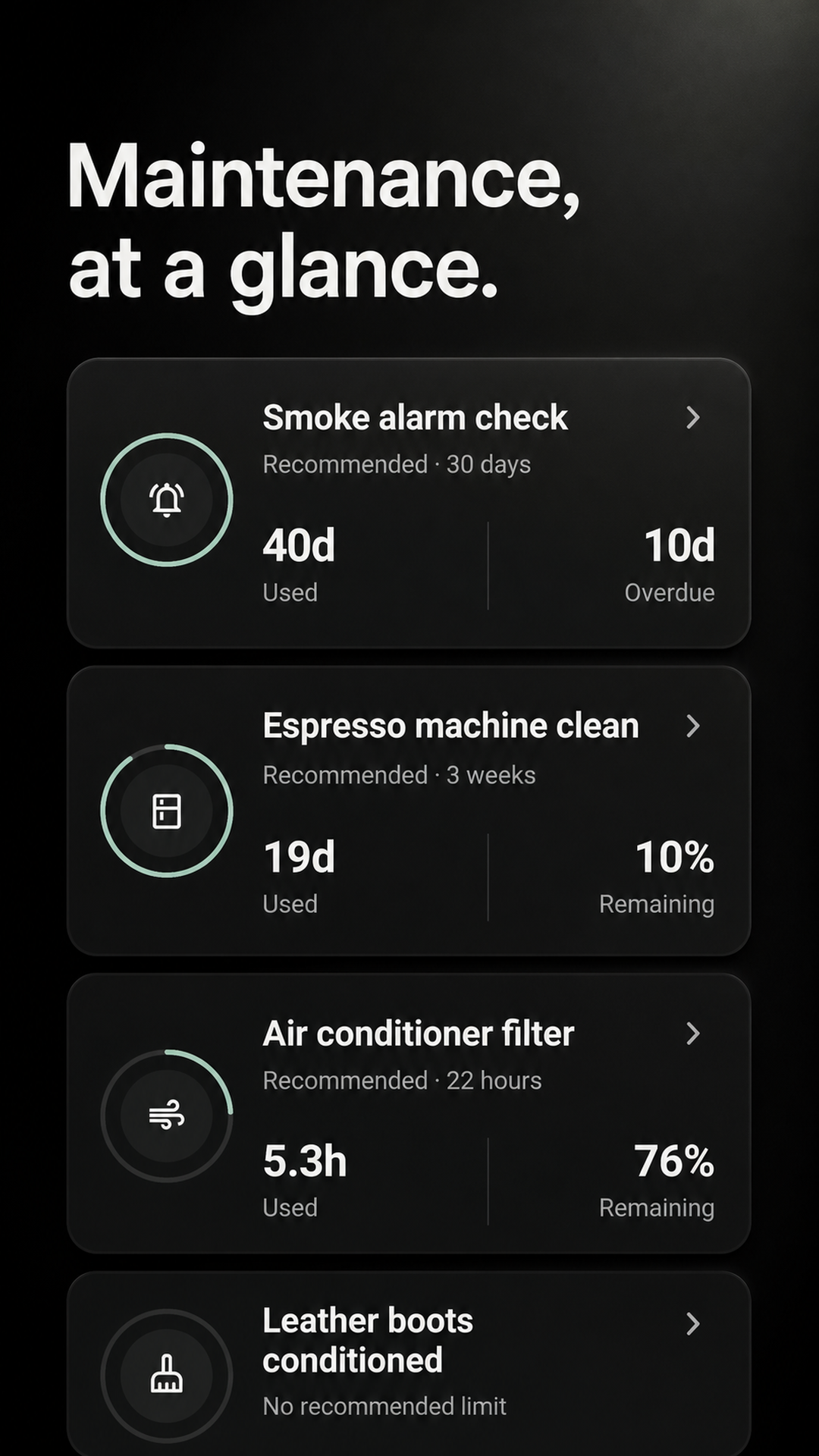
No calendar drift
A fixed calendar repeats whether you changed the filter or not. Maintenance records the replacement you completed and starts the next interval from that real date.
Keep the completion date and history in one place instead of writing a date on the filter and hoping you remember to check it.
The filter stays on the due or overdue board until you actually mark the replacement complete.
Change it late and the next interval begins that day—not from the calendar date you missed.
Three small steps
Maintenance does not force a generic schedule. Choose the interval that fits your filter and your home.
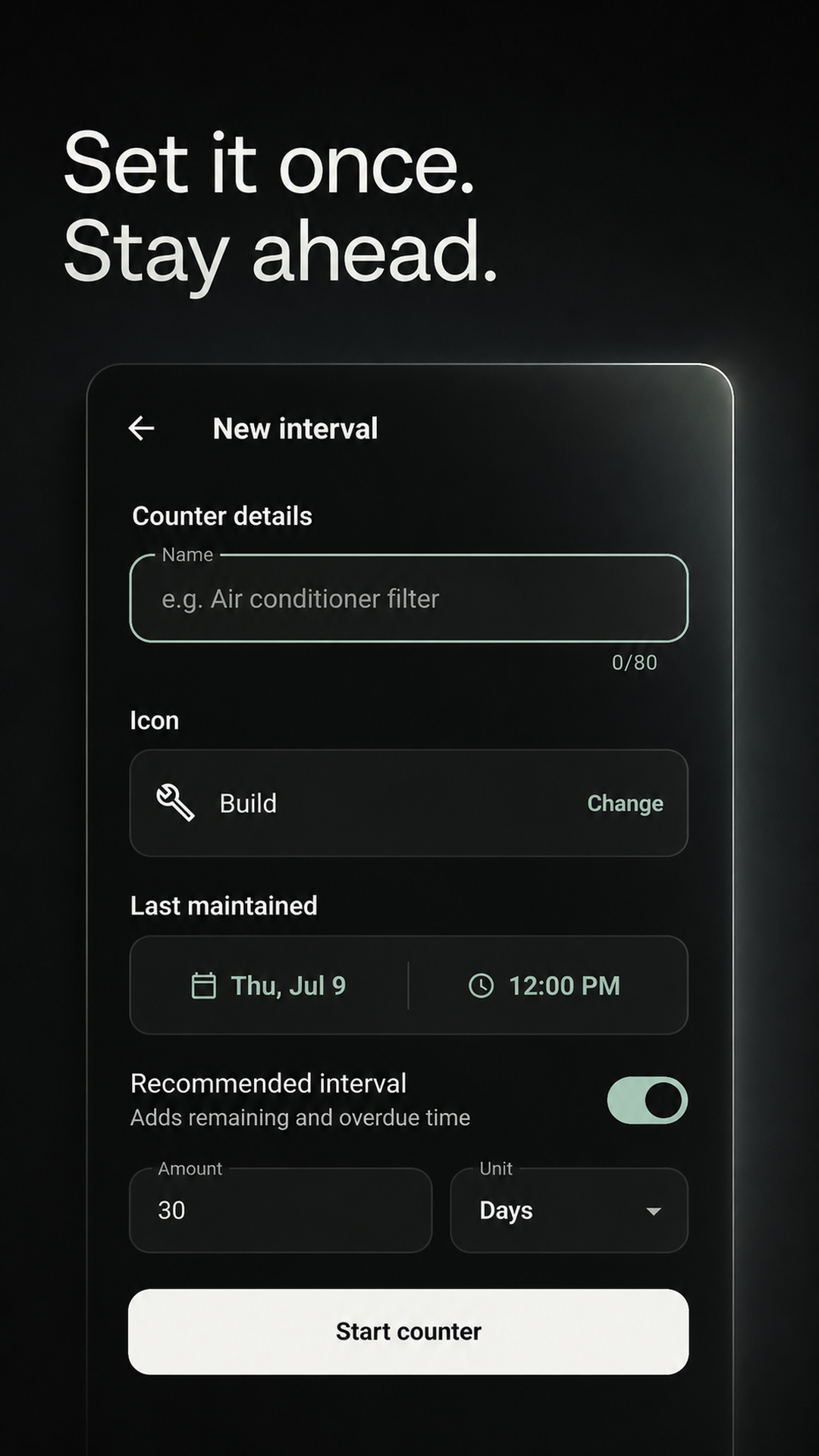
Name each filter separately if your home has more than one.
Use the guidance for your filter, system, and household.
The change is logged and the next interval begins immediately.
After wildfire smoke
Wildfire smoke can load an HVAC filter faster than normal. The EPA advises checking filters frequently during smoky conditions and replacing them when they appear dirty.
Use local air-quality and emergency advice first. For filtration, use the highest-efficiency filter your HVAC system can safely handle.
Check the filter frequently and replace it when it appears dirty, rather than relying only on its usual calendar interval.
Once the new filter is in, record that date in Maintenance and set the next check for the interval appropriate to your home.
Source: U.S. EPA guidance for reducing wildfire-smoke exposure. Maintenance records dates and reminders; it does not measure smoke, air quality, airflow, or filter condition.
Your interval, not ours
Pick a starting interval using the guidance for your filter and HVAC system, then adjust it when your real conditions call for it.
More hair, dander, dust, or people can mean checking the filter sooner.
Your comfort needs and local air conditions may affect the interval you choose.
Heavy heating or cooling seasons can load a filter faster than quiet months.
Different filters have different guidance, so use the interval recommended for yours.
Maintenance is a tracking tool, not an HVAC diagnostic service. Follow your filter manufacturer or qualified HVAC professional for replacement guidance.
Before you install
There is no universal interval. Filter type, system usage, pets, allergies, and local conditions can all matter. Use the guidance supplied with your filter or HVAC system, then track that interval in Maintenance.
Yes. Add separate intervals for multiple HVAC returns, furnace filters, water filters, air purifiers, or any other recurring item.
Mark it maintained on the day you actually replace it. The completion is added to history and the next interval starts from that date.
No. Maintenance tracks the time interval you choose; it does not connect to a thermostat, measure airflow, or inspect the filter. Follow your filter or HVAC-system guidance and check the filter sooner when real conditions call for it.
The U.S. EPA advises checking HVAC filters frequently during wildfire-smoke conditions and replacing them when they appear dirty. Follow local safety guidance and your HVAC system's requirements, then use Maintenance to record the real replacement date and schedule your next check.
Personal intervals work locally and offline. Cloud sync and a shared Home are optional.
Start with one filter
Add the filter you do not want to forget, choose its interval, and let Maintenance keep the timing visible.
GET IT FREE ONGoogle PlayAvailable for Android on Google Play.