
One interval per appliance
Name the job and choose the hour, day, or week interval that fits your appliance.
Appliance maintenance reminder app for Android
Add the appliance care you already know about, choose each repeat interval, and see what is due without filling another calendar.
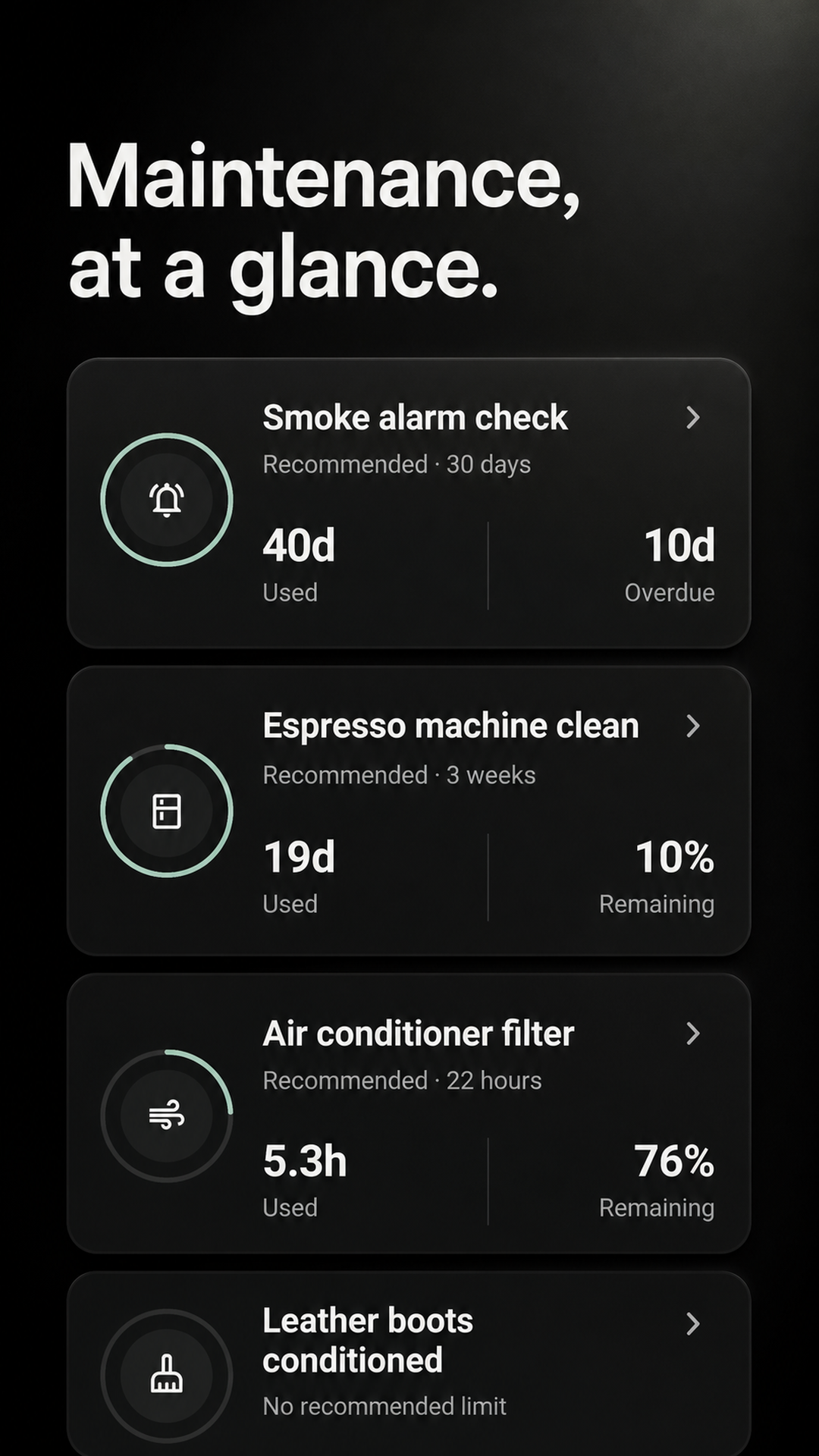
A reminder tied to the work
Appliance care rarely happens exactly on schedule. Mark it complete when it actually happens and the next interval begins from there.
Name the job and choose the hour, day, or week interval that fits your appliance.
When the work is finished, the next interval starts from that completion—not an old calendar date.
Keep exact completion dates and optional notes visible in the previous 26 weeks of history.
Start with the one you forget
Maintenance does not invent a service schedule. Use the appliance instructions you trust, then track the recurring job in three steps.
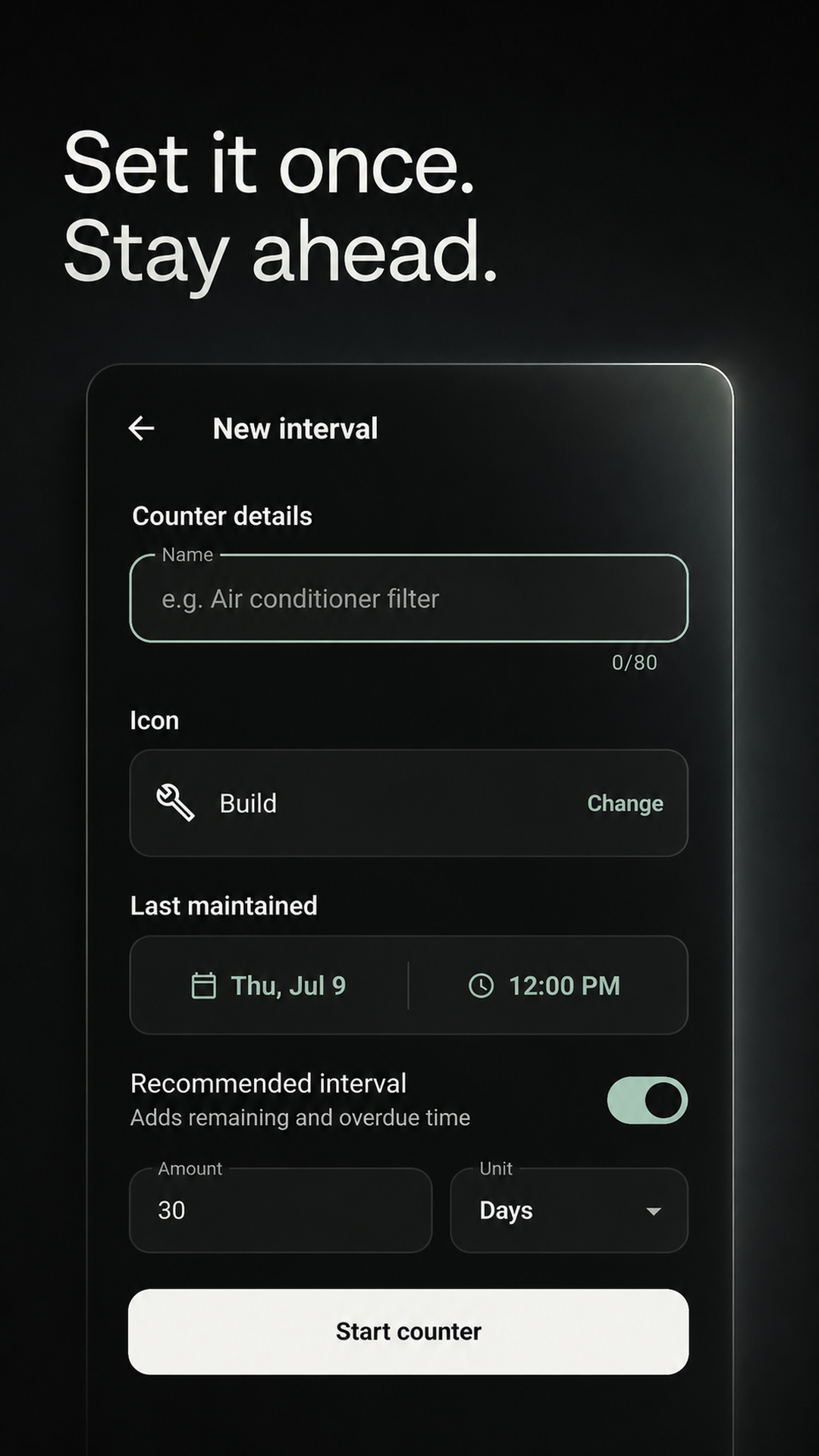
Add “Clean dishwasher filter,” “Dryer vent,” or your own wording.
Set the hours, days, or weeks and optionally enable a quiet reminder.
Save an optional note; the next interval begins from the completion.
Use your appliance instructions
These are examples, not recommended schedules. The right job and interval depend on the appliance and its manufacturer guidance.
A focused reminder, not an appliance database
The app tracks recurring tasks and recent completions. It does not identify appliances, diagnose faults, or replace manufacturer instructions.
The current Android release does not provide this appliance feature.
The current Android release does not provide this appliance feature.
The current Android release does not provide this appliance feature.
The current Android release does not provide this appliance feature.
Follow the appliance manufacturer’s instructions. Maintenance is a reminder and history tool, not repair or safety advice.
Before you start
No. You name the task and choose the interval from guidance you trust. The app tracks the timing you enter.
Yes. Every task can have its own hour, day, or week interval and optional reminder timing.
Mark it complete on the real completion date. The next interval begins from that completion instead of the previous due date.
Yes. A completion can include an optional note, and the history view covers the previous 26 weeks.
No. Keep those records elsewhere. Maintenance is focused on recurring intervals, reminders, and recent completion history.
Try one appliance
Add one appliance-care task, use the interval from its instructions, and see whether the reminder earns a place in your routine.
GET IT FREE ONGoogle PlayFree for Android on Google Play. No payment required.